Fan Clutch: Service and Repair
Fan Clutch Replacement^ Tools Required
- J 41240 Fan Clutch Remover and Installer
- J 41240-5A Fan Clutch Wrench
Removal Procedure
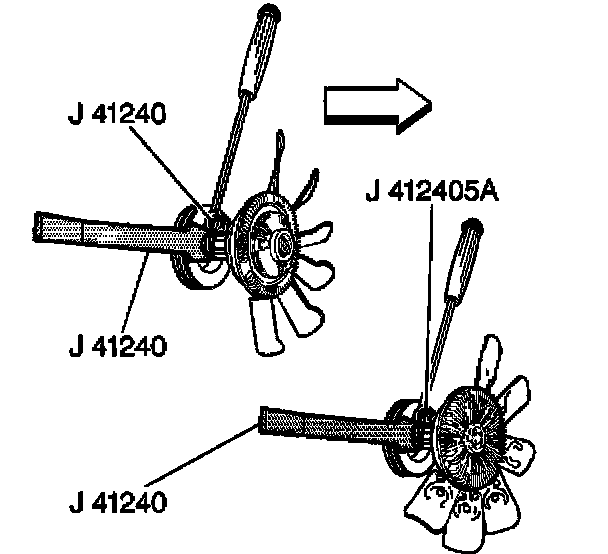
1. Remove the upper fan shroud.
2. If equipped with a 4.3L, 4.8L, 5.3L, 6.0L, or 8.1L engine, install the J 41240 to the fan clutch.
3. If equipped with a 6.6L engine, install the J 41240-5A to the fan clutch.
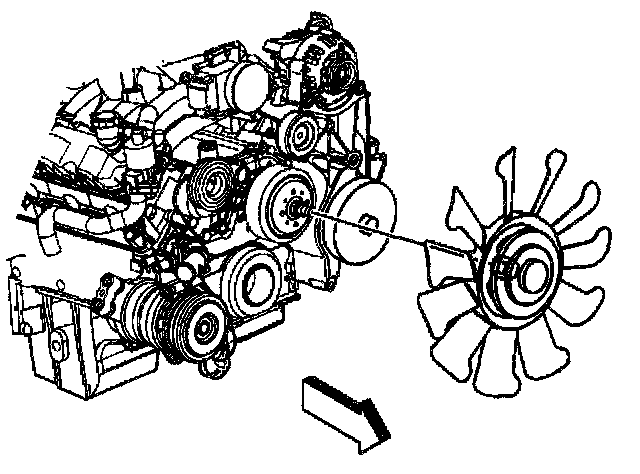
4. Remove the fan blade.
5. Lay the fan blade face down on a workbench.

6. If equipped with a 4.3L, 4.8L, 5.3L, or 6.0L engine, remove the fan clutch bolts from the rear of the fan blade.
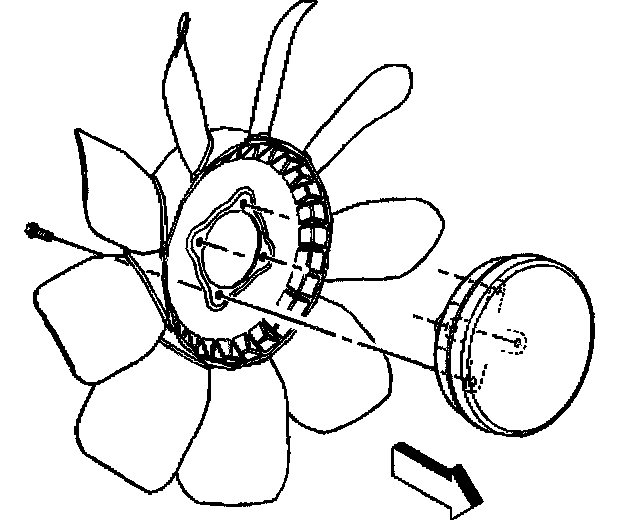
7. If equipped with a 6.6L or 8.1L engine, remove the fan clutch bolts from the rear of the fan blade.
8. Separate the fan clutch from the fan blade.
Installation Procedure
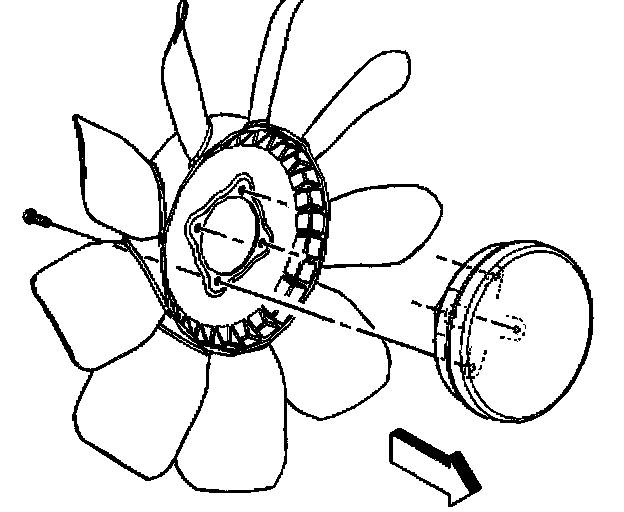
1. If equipped with a 6.6L or 8.1L engine, remove the fan clutch bolts from the rear of the fan blade.
2. Install the fan clutch bolts.
3. If equipped with a 4.3L, 4.8 L, 5.3L, or 6.0L engine, install the Jan clutch onto the fan blade.
Notice: Refer to Fastener Notice in Service Precautions.
4. Install the fan clutch bolts.
^ Tighten the fan clutch bolts to 23 Nm (17 ft. lbs.).
5. Install the fan blade.
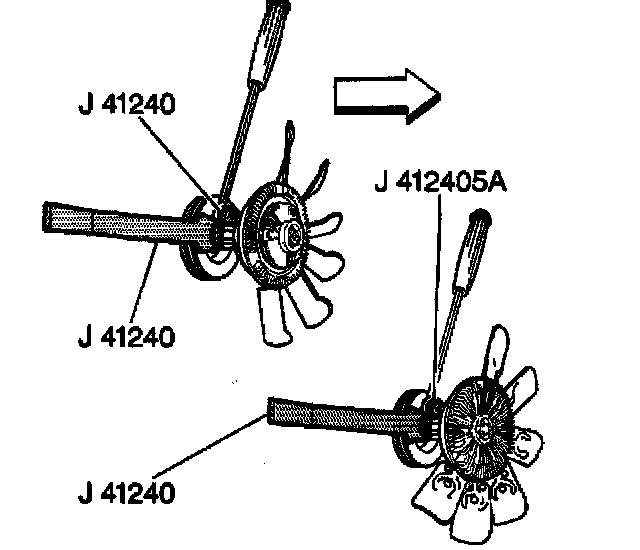
6. If equipped with a 6.6L engine, install the J 41240-5A to the fan clutch.
7. If equipped with a 4.3L, 4.8L, 5.3L, 6.0L, or 8.1L engine, install the J 41240 to the fan clutch.
^ Tighten the fan clutch nut to 56 Nm (41 ft. lbs.).
8. Install the upper fan shroud.